Client Photo Selection: Proofing Without the Chaos
When clients should choose, how many photos to show, how to set a deadline, how to charge for extra photos and how to protect the gallery while they pick.
Rodrigo Méndez6 min read
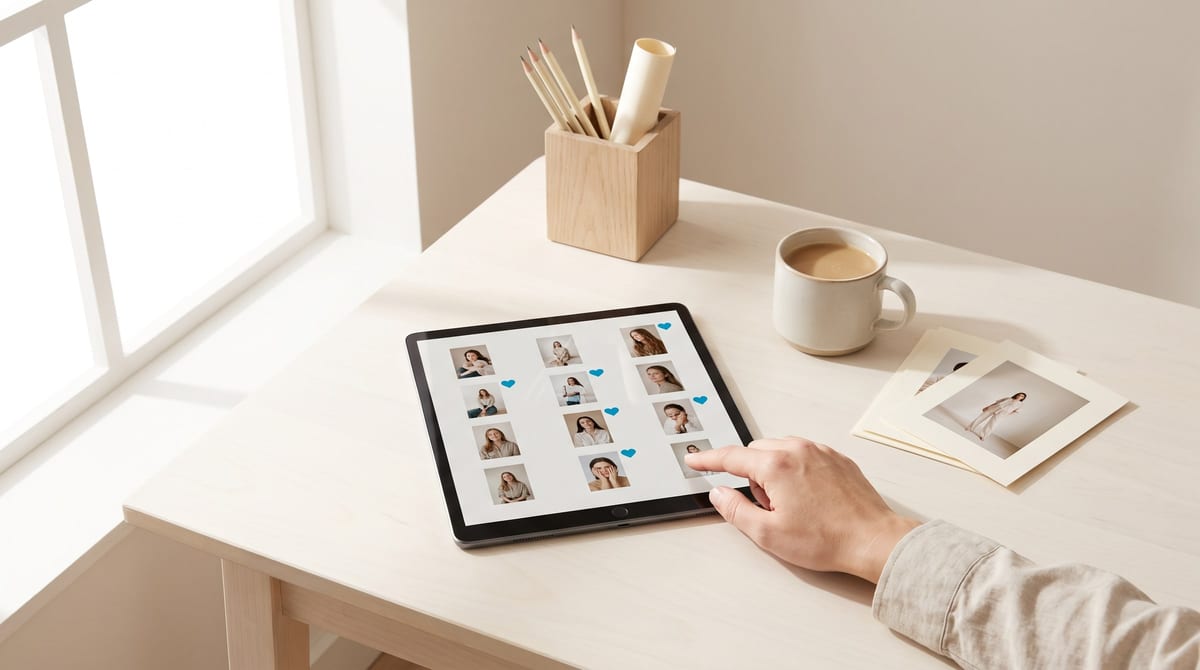
For client photo selection to run without chaos you need four agreements: how many photos the package includes, how many they will see, the date they can choose until, and what each extra photo costs. After that, a proofing gallery where they mark favorites without being able to download, and a couple of clear messages. Here is each piece, with the numbers that work and copy-ready messages.
When clients should choose, and when to deliver everything
Not every session needs proofing. It depends on how you sell:
| Type of job | What works best | Why |
|---|---|---|
| Portraits, couples, families, maternity | Let them choose | The package includes a fixed number of edited photos |
| Senior portraits and engagement sessions | Let them choose | There are many similar frames and what matters is their favorite |
| Product and catalog | Let them choose | You charge per photo and only edit what will be used |
| Weddings and full events | Deliver everything, edited | Hundreds of different moments; nobody wants to choose among 800 |
| Team headshots | Let each person pick their own | Everyone decides which photo represents them |
For weddings and events, selection is useful for something else: choosing the photos for the printed album or the wall prints, from the full delivery.
Before you show anything, choose yourself
“Photo selection” is really two jobs. The first one is yours, and it happens before anyone else sees the shoot.
- Remove the misses. Closed eyes, missed focus, half-made expressions.
- Keep one or two per setup. From each run of similar frames, the best.
- Don’t show what you wouldn’t deliver. If a photo doesn’t represent you, don’t put it in the running.
In Lightroom Classic this is quick from the keyboard: the P key flags a photo as a pick, X marks it as rejected, and the numbers 1 to 5 set star ratings. One pass for rejects and one for picks, and you have your preselection.
How many photos to show, and how to set a limit
As a rule of thumb, show two to three times what the package includes. If it includes 15 edited photos, show 30 to 45.
More is not better. In a widely cited experiment published in 2000 by Sheena Iyengar and Mark Lepper, people who saw 6 options bought more often than people who saw 24. Photos work the same way: faced with 200 similar frames, your clients take longer, hesitate and end up asking you to choose for them.
The limit has to be something that can be counted:
- Say it as a number. “Your package includes 15 edited photos,” not “a selection.”
- Let the gallery keep count. If the tool shows how many they’ve picked and how many are left, nobody sends you a list of 40 when the package was 15.
- Leave room to want more. If you show exactly 15, there is nothing to choose and nothing extra to sell.
Set a date to choose by, without pressure
Without a date, the selection can take months, and your delivery slips because of something that isn’t in your hands.
- Give a short, specific window. Five to seven days works for a session: enough to look calmly, not so long that they forget.
- Explain what the date is for. “With your selection by Friday, I’ll deliver on the 20th” sounds like service, not a threat.
- Say what happens if it doesn’t arrive. The simplest rule: after the date, you choose and the edit moves on.
- Remind them twice. Two days before, and on the day.
All of this goes in writing from the quote onward. The guide on how much to charge for a photoshoot has the full list of what to agree on before you take a payment.
Extra photos: the sale that’s already made
When someone can’t decide between 22 favorites and their package includes 15, you don’t have a problem. You have a sale. The photos already exist and that person already wants them.
Three ways to charge for them, from the simplest to the one that sells the most:
| Approach | Example | When to use it |
|---|---|---|
| Price per photo | $25 for each additional photo | When they ask for one or two more |
| Bundle of extras | 5 additional photos for $100 | When they’re torn between several: the price per photo drops |
| The whole gallery | The rest of the preselection for a flat price | When they marked almost all of them |
The prices are examples. To set yours, work out how long it takes you to edit one photo and multiply it by your hourly rate.
Two rules that prevent misunderstandings:
- The price of extras is stated before the session, not after they’ve picked.
- Offer them when the selection comes in, while the excitement is fresh: “I saw you marked 22 and your package includes 15. I can add the 7 extra photos for this much.”
Copy-ready messages
Change the name, the numbers and the dates.
The invitation to choose, by email:
Subject: Your photos are ready to pick

Hi [name],

You can now see the photos from your session: [link]
Your package includes 15 edited photos. Tap the heart on your favorites
and, when you're done, tap "Send selection."
You have until Friday the 16th to choose, and I'll deliver on the 23rd.
If you'd like more than 15, each additional photo is $25.
The reminder, two days before, by text:
Hi [name], a quick reminder that your selection closes on Friday: [link]
If you'd rather have me pick the rest, just say so and I'll take care of it.
When they marked more than the package includes:
Thank you for your selection! You marked 22 photos and your package
includes 15. You have two options: keep 15, or take all 22 for an
additional $150. Let me know which you prefer and I'll start editing today.
Closing the selection, by email:
Subject: I got your selection

Hi [name],

I have your 15 chosen photos. I'm starting the edit and you'll get the
final gallery on the 23rd, ready to download in high resolution.

If you want to change anything in the selection, let me know before Monday.

Thank you for trusting me with this.
Protect the gallery while they choose
Proofing photos are not the delivery yet. While your clients choose, the gallery should look like this:
Checklist
- Private or password-protected: only people with the link and the password get in.
- Downloads turned off: they can view and mark, not save.
- The selection limit set, so the gallery keeps count.
- Screen-size photos, not the final files.
- A clear name: “Proofing” is not the same as “Delivery.”
The full workflow
- Agreement: how many photos, the date and the price of extras
- Your preselection
- Private gallery, downloads off
- Invitation to choose
- Reminder
- Selection received and extras offered
- Edit and delivery
Once the selection is closed, what follows is the delivery: formats, sizes, turnaround and backups are in the guide on how to deliver photos to clients.
Common mistakes
- Showing the full shoot, misses and all.
- Not saying how many photos the package includes until they’ve already picked too many.
- Taking the selection as screenshots or as a list of file numbers by text.
- Leaving the selection without a date.
- Giving the extra photos away because charging for them feels awkward.
- Sending the high-resolution files before the selection is closed.
A well-run selection feels like part of the service: your clients decide quickly, you edit only what’s needed and the delivery goes out on time.
Sources
- Sheena S. Iyengar and Mark R. Lepper, “When Choice is Demotivating: Can One Desire Too Much of a Good Thing?”, Journal of Personality and Social Psychology, vol. 79, no. 6, 2000, https://doi.org/10.1037/0022-3514.79.6.995.
- Adobe, “How to flag, label, and rate photos in Lightroom Classic”, https://helpx.adobe.com/lightroom-classic/help/flag-label-rate-photos.html, accessed October 3, 2026.
Frequently asked questions
How many photos should I show clients for proofing?
As a rule of thumb, two to three times what the package includes. If it includes 15, show 30 to 45. With more options, choosing takes longer and the selection never arrives.
Should I show clients every photo from the shoot?
No. Cull the misses and the near-duplicates first. Showing everything takes away your control over how your work looks and leaves your clients comparing twenty nearly identical frames.
What do I do if a client doesn't pick their photos?
Send a reminder two days before the deadline and another on the day. If there is no answer, apply what you said from the start: you choose, and the edit moves on.
How do I charge for extra photos?
With a per-photo price that was already in your quote, and a bundle price that works out cheaper. To set it, start from the time it takes you to edit one photo and your hourly rate.
How do I stop clients from downloading photos before they choose?
Share the gallery as private or password-protected, with downloads turned off. They can view and mark favorites, but the delivery comes when the edit is done.
What is the difference between proofing and delivery?
In proofing, your clients see a preselection and mark the photos they want. In delivery, they receive those photos fully edited, in high resolution and ready to download.