How to Deliver Photos to Clients: The Complete Guide
File formats and sizes, how many photos to deliver, turnaround times, file naming, delivery methods compared and backups. The complete guide for photographers.
Rodrigo Méndez10 min read
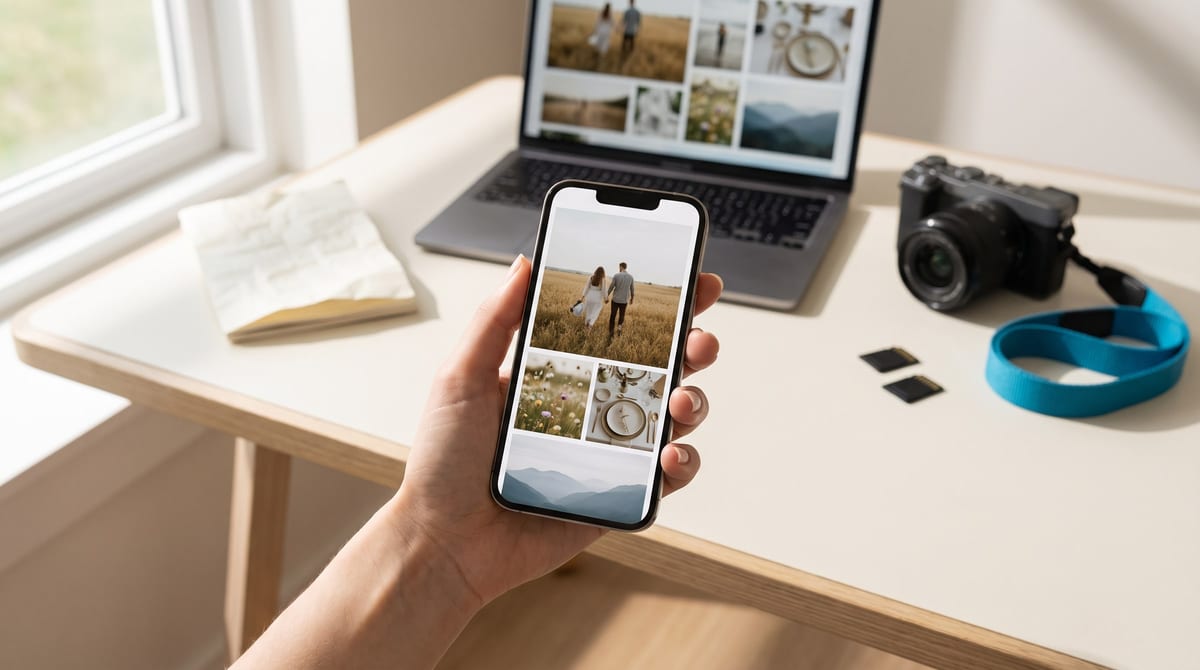
To deliver photos to clients like a professional you need four things: export them in the right formats, deliver the number you promised by the date you agreed, send them in a single link that looks good on a phone, and keep a backup before you format your cards. Here is each step with concrete numbers: which sizes to export, how many photos to deliver, how long to take, how to name the files, which delivery method works best, how to back up and what to put in writing.
What format and size to deliver
The practical rule is to deliver two versions of every photo. A full-size one for printing, and a lighter one your clients can view on a phone and post to social media without the app wrecking it with its own compression.
| What it’s for | Size (long edge) | Format | Color space |
|---|---|---|---|
| Printing | Full size, as it comes out of your edit | JPEG at high quality (90 to 100) | sRGB |
| Viewing on a phone or computer | 2048 px | JPEG at quality 80 to 85 | sRGB |
| Posting to Instagram | 1080 px wide (1080 x 1350 for vertical) | JPEG | sRGB |
To find out how large a photo can print, divide the pixels on its long edge by 300, the resolution recommended for professional-quality prints. A 6000 px photo is good for 20 inches. If your clients want a bigger poster, 240 or even 150 ppi still looks fine, because a large print is viewed from farther away.
sRGB, always. It’s the color space nearly every screen expects and the one every print lab accepts. Adobe RGB only makes sense if your lab asks for it: in software that doesn’t manage color, an Adobe RGB photo looks dull, and your clients will think you edited it badly.
JPEG is enough. At high quality, a JPEG prints perfectly at common sizes. If a pro lab asks for TIFF, deliver TIFF for that print. RAW files are your negatives: don’t hand them over unless you agreed to it up front and it has a price.
How many photos to deliver
There is no correct number, but there is an agreed one. It depends on the type of job, how long it runs and your style, and nothing protects your reputation more than delivering what you promised.
| Job | Common range | What to watch |
|---|---|---|
| Portrait, couple or family session, one hour | 15 to 50 edited photos | Variety of poses and spots, no near-duplicates |
| Half-day event or small wedding, 4 hours | 200 to 400 photos | The key people and moments are all there |
| Full wedding day, 8 hours | 400 to 800 photos | Roughly 50 to 100 per hour of coverage |
Three criteria that help you decide:
- Quality before quantity. Ten nearly identical photos are tiring and bury the good one. Keep the best of each series.
- Editing is not retouching. Adjusting color and exposure is part of the delivery. Removing objects or retouching skin photo by photo is a different service, and your package should say so.
- No “you get everything I shot.” Delivering without culling takes away your control over how your work looks.
How long to take, and how to say it
For weddings, the photographers surveyed by Wedding Spot most often answer four to six weeks, and six to eight during wedding season. For short sessions such as portraits, families or products, one to two weeks is a reasonable window.
How you handle the deadline matters more than the number:
- Say it before the session and put it in the contract.
- Meet it. An on-time delivery of 40 flawless photos beats a late one with 80.
- If you’re going to be late, say so before the date, not on the day it’s due, and say when the photos will arrive.
How to name and organize the files
A folder with 400 files called IMG_8421.jpg says nothing about your work. Use a name that carries the date, the client and a sequence number:
2026-06-12_anna-and-luis-wedding_001.jpg
2026-06-12_anna-and-luis-wedding_002.jpg
And split the two versions into folders anyone can understand:
anna-and-luis-wedding/
  high-resolution/
  web/
Keep the photos in the order things happened, from getting ready to the end of the day. Your clients will go through the delivery like a story, and when they ask for a print, the file number lets them tell you exactly which one they mean.
The sneak peek that keeps the excitement going
While you edit the full delivery, send 5 to 10 photos within the first few days. It’s common practice among wedding photographers and it works the same for any session: your clients share the preview, you get tagged, and the wait feels shorter.
Drive, WeTransfer, Dropbox, USB or an online gallery
Each method solves part of the problem. What changes is how good your work looks, how long the link lasts and whether you decide who can download.
| Method | Does it expire? | What your clients see | Download control | Your brand |
|---|---|---|---|---|
| WeTransfer, free plan | Yes, after 3 days | A file to download | Anyone with the link downloads | Almost none |
| Google Drive | No, as long as the file exists | A folder with file names | You can restrict it when sharing | Google’s |
| Dropbox, free plan | Doesn’t expire on its own | A folder | Disabling downloads is a paid feature | Dropbox’s |
| USB drive or prints | No, but they get lost or damaged | Loose files, or the paper | Doesn’t apply | Only if the packaging is yours |
| Online gallery for photographers | Depends on the service and the plan | Your photos, full screen | Yes, per gallery | Yes |
Email and chat apps aren’t built for full deliveries. Gmail accepts up to 25 MB of attachments per message on personal accounts, which is only a few high-resolution photos. On WhatsApp, a photo sent as an image gets compressed. If you have to send a single file in full quality, send it as a document.
A gallery solves what the others don’t. Your clients open one link and see the photos full screen, on a phone or a computer, under your name. You decide whether it’s public, private or password-protected, and whether the photos can be downloaded. And if your gallery lets clients mark favorites, the selection for prints arrives on its own, with no lists of file numbers by text. If you’re comparing services, read this honest comparison of Pixieset alternatives.
The delivery workflow, start to finish
- Cull and edit
- Export in two sizes
- Name and sort
- Upload and set access and downloads
- Send the sneak peek
- Full delivery in a single link
- Back up and close out
Step by step
-
Cull and edit. Remove duplicates and misses, and edit the whole session with the same approach to color.
-
Export in two sizes. Full size for printing and 2048 px for screens, both as sRGB JPEGs.
-
Name and sort. Date, client and sequence number, with one folder per version.
-
Upload and set it up. Cover photo, access (public, private or password) and downloads on or off, depending on what was paid for.
-
Send the sneak peek in the first few days, with a vertical version for stories.
-
Deliver everything in a single link, with a short message that says what’s included and until when it can be downloaded.
-
Back up and close out. Confirm your clients received everything before you free up space.
A delivery message that works, ready to copy and adjust:
Hi [name], your gallery is ready: [link]. There are 48 edited photos, in the order the session happened. You can view them on your phone or computer and download them in full resolution until [date]. If you’d like a print of any of them, send me the file number and I’ll help. Thank you for trusting me with this.
Short, with the link up front and only what your clients need to know: what’s included, how to view it and until when they can download.
Backup: the 3-2-1 rule
The rule comes from photography. CISA, the United States cybersecurity agency, recommends it in its own backup guide and credits it to photographer Peter Krogh’s The DAM Book. It goes like this:
- 3 copies of every important file: the original and two backups.
- 2 different kinds of storage, for example your computer and an external drive.
- 1 copy away from your studio: in the cloud or in another physical place.
Don’t format a card until all three copies exist. And decide how long you’ll keep the files after delivery. Whatever you choose, put it in the contract, so nobody asks you three years from now for a photo you no longer have.
What to put in the contract about delivery
- How many photos are delivered, and whether they are edited or retouched.
- The turnaround time, counted from the session date.
- The format and the sizes.
- How they’re delivered, and for how long the download stays available.
- Whether RAW files are delivered and what they cost.
- What each additional photo costs.
- Whether you can use the photos in your portfolio and on social media.
- How long you keep the files after delivery.
Checklist before you hit send
Checklist
- You exported in sRGB and in both sizes.
- The files carry the date, the client and a sequence number.
- There are no duplicates, closed eyes or out-of-focus shots.
- The gallery has a cover and follows the order of the story.
- Access and downloads are set the way you agreed.
- You opened the link on a phone, not only on your computer.
- The delivery message says what’s included and until when it can be downloaded.
- All three backup copies exist.
To see all the guides, head to the blog or to the Delivery and clients category. And if you’re about to deliver your next session, piclink has a free plan you can try with a real job.
Sources
- WeTransfer, “How long are transfers available to download?”, https://wetransfer.com/help-center/how-to/transfer-availability, accessed October 3, 2026.
- Dropbox, “How to set shared link permissions”, https://help.dropbox.com/share/set-link-permissions, accessed October 3, 2026.
- Google, “Stop, limit, or change sharing”, https://support.google.com/drive/answer/2494893?hl=en, accessed October 3, 2026.
- Google, “Send attachments with your Gmail message”, https://support.google.com/mail/answer/6584?hl=en, accessed October 3, 2026.
- IONOS Digital Guide, “Instagram image sizes & video formats at a glance”, https://www.ionos.com/digitalguide/online-marketing/social-media/instagram-images-sizes/, accessed October 3, 2026.
- Mylio, “How to Prepare Photos for Printing: Resolutions, Edits, and File Formats”, https://inspire.mylio.com/how-to-prepare-photos-for-printing-resolutions-edits-and-file-formats/, accessed October 3, 2026.
- CISA, “Data Backup Options”, https://www.cisa.gov/sites/default/files/publications/data_backup_options.pdf, accessed October 3, 2026.
- Wedding Spot, “How Long Does It Take to Get Wedding Photos Back?”, https://wedding-spot.com/blog/how-long-get-wedding-photos-back, accessed October 3, 2026.
- Alyssa Badami Photography, “How Many Photos Should You Expect From Your Wedding Day?”, https://alyssabadamiphotography.mypixieset.com/blog/how-many-photos-should-you-expect-from-your-wedding-day/, published July 28, 2026 and accessed October 3, 2026.
- iDownloadBlog, “How to send full resolution photos and videos on WhatsApp”, https://www.idownloadblog.com/2023/08/18/send-hd-photos-whatsapp-tutorial/, updated July 28, 2026 and accessed October 3, 2026.
Frequently asked questions
How many photos should a photographer give a client?
It depends on the type of session, how long it runs and your style. For a one-hour portrait session, 15 to 50 edited photos is a common range. What matters most is that the number is written into your package before the session.
How many photos should you deliver for a wedding?
A common reference is 400 to 800 photos for eight hours of coverage, or roughly 50 to 100 per hour. Rather than chasing a number, make sure the best frames don't get lost among near-duplicates.
How long do wedding photographers take to deliver photos?
Photographers surveyed by Wedding Spot most often answer four to six weeks, and six to eight during wedding season. The professional move is to set the date in the contract and send a sneak peek in the first few days.
How do I send photos to clients without losing quality?
Share a link, not attachments. Chat apps compress photos sent as images, and Gmail caps attachments at 25 MB on personal accounts. A gallery or cloud link delivers the files exactly as you exported them.
What is the best way to send photos to clients for free?
A Google Drive link doesn't expire, WeTransfer's free plan keeps files for up to 3 days, and most client-gallery platforms have a free plan. For paid work, a gallery is the one that also shows your photos full screen under your name.