Exposure Triangle Explained: Charts, Stops and Examples
What the exposure triangle is and how to balance aperture, shutter speed and ISO: stops, equivalent exposure charts, the Sunny 16 rule, video and phones.
Rodrigo Méndez10 min read
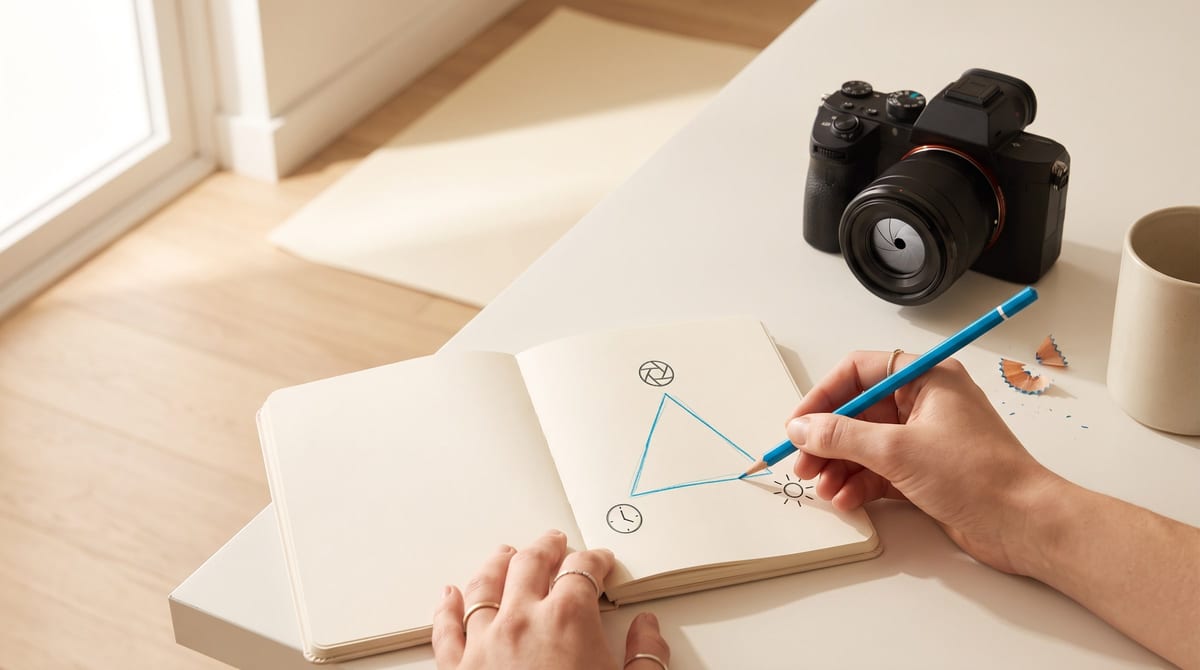
The exposure triangle is the relationship between the three settings that decide how much light your camera records: the lens aperture, the shutter speed and the ISO. All three add or subtract light, so if you move one you have to compensate with another to keep the photo from coming out too dark or blown out. The interesting part is that each one, besides light, changes something different in the image: how much is sharp, how motion looks and how much noise appears. Here is how each side works, with charts for combining them and exercises to practice.
What the exposure triangle is
Imagine the photo needs a fixed amount of light. You can gather it in three ways, and each has a cost:
| Setting | What it controls | How to add light | What changes in the photo |
|---|---|---|---|
| Aperture (f-number) | The size of the opening in the lens | A smaller number: f/2.8 gives more than f/8 | How much is sharp from front to back |
| Shutter speed | How long the sensor receives light | More time: 1/30 gives more than 1/250 | Motion: frozen or blurred |
| ISO | How sensitive the sensor is to light | A higher number: ISO 1600 more than ISO 100 | Noise: grain in the shadows |
That’s why there is no single correct exposure. There are many combinations that give the same light, and you choose the one that suits the photo.
What a stop is
All three settings move in the same unit: the stop. A stop is doubling or halving the light. Because the three speak the same language, what you take away on one side you can give back on another.
| Aperture | Shutter speed | ISO |
|---|---|---|
| f/1.4 | 1/15 | 100 |
| f/2 | 1/30 | 200 |
| f/2.8 | 1/60 | 400 |
| f/4 | 1/125 | 800 |
| f/5.6 | 1/250 | 1600 |
| f/8 | 1/500 | 3200 |
| f/11 | 1/1000 | 6400 |
| f/16 | 1/2000 | 12800 |
Each row down is one stop. For aperture and shutter speed, moving down a row lets in half the light. For ISO, moving down a row makes the sensor twice as sensitive.
Your camera almost certainly moves in thirds of a stop, so between f/4 and f/5.6 you’ll see f/4.5 and f/5. Three clicks of the dial are one full stop.
Aperture: how much light and how much is sharp
Aperture is the size of the opening that lets light in, and it’s written as the f-number. What’s confusing at first is that it runs backward: a small number, such as f/1.8, is a large opening; a large number, such as f/16, is a small one.
Besides light, aperture decides depth of field, which is how much of the scene comes out sharp. A large opening keeps a thin slice sharp and blurs the rest. A small opening keeps almost everything sharp.
| Aperture | What it’s good for |
|---|---|
| f/1.4 to f/2.8 | Portraits with a blurred background, and low light |
| f/4 to f/5.6 | Two or three people, events and general use |
| f/8 to f/11 | Landscape, architecture and large groups |
| f/16 to f/22 | Maximum depth of field, or long exposures in bright light |
If portraits and groups are your thing, the guide on what lens to use has a table with the exact zone of sharp focus at each aperture.
Shutter speed: freeze motion or let it show
Shutter speed is the time the sensor receives light, in seconds or fractions of a second. 1/200 means the shutter stays open for one two-hundredth of a second.
| Shutter speed | What it does |
|---|---|
| 1/1000 or faster | Freezes sports, birds and splashes |
| 1/250 to 1/500 | People walking, kids, events |
| 1/60 to 1/125 | Portraits and still scenes, handheld |
| 1/15 to 1/30 | Panning: you follow the subject and the background streaks |
| 1 second or more | Silky water and light trails, always on a tripod |
To shoot handheld without blur, use a shutter speed whose number is close to the focal length of your lens: with a 50mm, 1/60; with a 200mm, 1/250. If your subject is moving, that’s no longer enough and you need to go faster.
ISO: sensitivity and its cost
ISO tells you how sensitive the sensor is to light. Your camera’s lowest value, almost always 100, gives the cleanest image. Every time you double it you gain a stop of light and pay with noise.
Nikon sums it up this way in its guide: it pays to stay near ISO 100 whenever you can, although today’s cameras handle high values far better than those of a few years ago. The practical rule is to raise ISO last, once you can’t open the lens any further or slow the shutter any more.
As a starting point:
| Situation | ISO to start with |
|---|---|
| Direct sun | 100 |
| Shade or an overcast day | 200 to 400 |
| Indoors by a window | 400 to 1600 |
| Indoors at night, a venue or a concert | 1600 to 6400 |
| With flash | 100 to 400 |
These are values to start from, not rules. What decides it is whether the shutter speed is fast enough to keep everything sharp.
The same light, different photos
This is where you see why it’s a triangle. These five combinations let in exactly the same light, but they don’t give the same photo:
| Aperture | Shutter speed | ISO | What changes |
|---|---|---|---|
| f/8 | 1/125 | 100 | The starting point |
| f/5.6 | 1/250 | 100 | A slightly softer background and more margin against motion |
| f/2.8 | 1/1000 | 100 | A very blurred background and frozen action |
| f/16 | 1/30 | 100 | Everything sharp, but now you need a tripod |
| f/8 | 1/500 | 400 | The same sharpness, freezes better and some noise appears |
In each row, the stops taken away on one side are given back on another. From f/8 to f/2.8 there are three more stops of light; from 1/125 to 1/1000, three fewer.
The Sunny 16 rule: exposing without a meter
Before cameras could meter light, people exposed with this rule, and it’s still useful for checking whether your camera is giving you a reasonable reading. On a sunny day, set f/16 and a shutter speed equal to 1 over the ISO: at ISO 100, 1/100 or 1/125; at ISO 200, 1/200 or 1/250; at ISO 400, 1/400 or 1/500.
If there’s no direct sun, keep the shutter speed and open the aperture:
| Conditions | Aperture | How the shadows look |
|---|---|---|
| Snow or sand in sun | f/22 | Dark, with sharp edges |
| Direct sun | f/16 | Distinct |
| Slight overcast | f/11 | Soft around the edges |
| Overcast | f/8 | Barely visible |
| Heavy overcast | f/5.6 | No shadows |
| Open shade or sunset | f/4 | No shadows |
And from there you apply what’s above: f/16 at 1/125 is the same light as f/8 at 1/500.
How to decide in practice
- What matters most: the background or the motion
- Lock that setting
- Move the other one until the photo isn't blurred
- Raise ISO only as much as you need
- Shoot and review
Step by step
-
Decide what rules this photo. If it’s a portrait, the background rules: choose the aperture. If it’s a game, the motion rules: choose the shutter speed.
-
Set the second side. With the aperture locked, find a shutter speed that holds up to your hands and to the subject’s movement. With the shutter speed locked, open the lens as much as you need.
-
Leave ISO for last. If the photo is still dark with the other two, raise it stop by stop.
-
Review and correct. If it came out bright or dark, move a single setting and shoot again.
You don’t have to do all of this in manual mode. Camera modes let you control one side and have the camera work out the rest:
| Mode | You choose | The camera chooses | When to use it |
|---|---|---|---|
| Aperture priority (A or Av) | Aperture and ISO | Shutter speed | Portraits, landscape and everyday shooting |
| Shutter priority (S or Tv) | Shutter speed and ISO | Aperture | Sports, kids and panning |
| Manual (M) | All three | Nothing | Studio, flash and light that doesn’t change |
| Program (P) | ISO | Aperture and shutter speed | When there’s no time to think |
If you’re coming from auto mode, start with aperture priority: you decide how much of the background is sharp and see what shutter speed the camera proposes. When that speed looks slow to you, you already know what to do: open the lens or raise the ISO.
In video, one thing changes
In video you hardly touch the shutter speed. The reference is the 180-degree rule: the shutter speed should be double the frame rate. If you shoot at 24 or 25 frames per second, 1/50; at 30, 1/60; at 50 or 60, 1/100 or 1/125. That keeps motion looking natural, neither choppy nor smeared.
That leaves the triangle with two free sides: aperture and ISO. And when there’s too much light and you want to keep the lens open, the solution isn’t in the camera but in front of it: a neutral density filter, which darkens without changing the color.
On a phone
A phone’s Pro mode lets you move ISO and shutter speed; that’s how Samsung describes it for its Galaxy phones. Aperture usually isn’t among the settings because the lens on almost every phone has a fixed aperture. The triangle is left with two sides, and the blurred background of portrait mode is made with processing, not with the lens.
Everything else works the same: at night, slow the shutter and rest the phone on something steady before you raise the ISO.
Three exercises to get it once and for all
Step by step
-
Aperture. Put an object three feet away, with the background several yards behind it. In aperture priority, take three photos: at your lens’s widest aperture, at f/5.6 and at f/16. Compare the background.
-
Shutter speed. Photograph a stream of water in shutter priority: at 1/1000, at 1/60 and at 1/4 with the camera resting on something. Watch how the water changes.
-
ISO. Indoors, with the camera resting on something, shoot the same scene at ISO 100, 1600 and 6400. Zoom into the shadows on the screen and look for the noise.
Those nine photos teach you in half an hour what takes weeks to read.
Common mistakes
- Raising ISO before opening the lens or slowing the shutter.
- Stopping down to f/22 so everything is sharp and ending up with a blurred photo because of the slow shutter speed.
- Shooting handheld below the shutter speed your lens can hold.
- Judging exposure only by how the screen looks in full sun.
- Believing there is one correct combination: there’s one that suits each photo.
Mastering exposure is what frees you to deal with everything else: the light, the framing and the people. And once the session is done, what comes next is delivering it well: here is the guide on how to deliver photos to clients.
Sources
- Nikon, “Mastering the exposure triangle: everything you need to know”, https://www.nikon.es/es_ES/learn-and-explore/magazine/tips-and-tricks/understanding-the-exposure-triangle, published May 29, 2025 and accessed October 3, 2026.
- Nikon, “What is aperture in photography?”, https://www.nikon.es/es_ES/learn-and-explore/magazine/tips-and-tricks/what-is-aperture, accessed October 3, 2026.
- Nikon, “What is shutter speed in photography?”, https://www.nikon.es/es_ES/learn-and-explore/magazine/tips-and-tricks/what-is-shutter-speed, accessed October 3, 2026.
- Nikon, “What is ISO in photography?”, https://www.nikon.es/es_ES/learn-and-explore/magazine/tips-and-tricks/what-is-iso, accessed October 3, 2026.
- Canon Europe, “How to use exposure in your photography”, https://www.canon-europe.com/get-inspired/tips-and-techniques/how-to-control-exposure/, accessed October 3, 2026.
- Wikipedia, “F-number”, https://en.wikipedia.org/wiki/F-number, accessed October 3, 2026.
- Wikipedia, “Shutter speed”, https://en.wikipedia.org/wiki/Shutter_speed, accessed October 3, 2026.
- Wikipedia, “Sunny 16 rule”, https://en.wikipedia.org/wiki/Sunny_16_rule, accessed October 3, 2026.
- Amateur Photographer, “How shutter speeds work when shooting video”, https://amateurphotographer.com/video/how-to/how-shutter-speeds-work-when-shooting-video/, accessed October 3, 2026.
- Samsung, “How to use Pro Mode on a Galaxy phone camera”, https://www.samsung.com/ae/support/mobile-devices/how-to-use-the-cameras-pro-mode-on-samsung-galaxy-phones/, updated September 22, 2026 and accessed October 3, 2026.
- Tech Critter, “Smartphone Photography Manual Mode Cheat Sheet”, https://www.tech-critter.com/smartphone-photography-manual-mode/, accessed October 3, 2026.
Frequently asked questions
What is the exposure triangle in photography?
It's the relationship between the three settings that decide how much light the camera records: aperture, shutter speed and ISO. It's called a triangle because the three depend on each other: if you change one and want the same exposure, you have to compensate with another.
What is the exposure triangle used for?
For getting out of auto mode knowing what you're doing. It lets you choose first what matters in the photo, such as a blurred background or frozen motion, and adjust the rest so the image comes out neither too dark nor blown out.
What is ISO in photography?
It's the number that tells you how sensitive the sensor is to light. At a low ISO, such as 100, the image is cleaner. Raising it means you need less light, but noise appears: the grain you notice mostly in the shadows.
What ISO should I use in daylight, at night and indoors?
As a starting point: ISO 100 in sun, 200 to 400 in shade or overcast, 400 to 1600 indoors by a window and 1600 to 6400 at night or in a dim venue. Raise it only as much as you need to keep the photo from blurring.
What is a stop in photography?
It's doubling or halving the light in the photo. Opening up from f/8 to f/5.6, slowing down from 1/250 to 1/125 or going from ISO 100 to ISO 200 are each one more stop of exposure.
What is the Sunny 16 rule?
A way to expose without metering: on a sunny day, use f/16 and a shutter speed equal to 1 over the ISO. At ISO 100 that's 1/100 or 1/125, at ISO 200 it's 1/200 or 1/250, and at ISO 400 it's 1/400 or 1/500.